
A TALLYPRIME DESKTOP ADD-ON
Bring the due date back into view.
TallyDues watches invoice due dates and post-dated cheque maturity inside your TallyPrime workflow, then surfaces what needs attention on your Windows desktop.
Windows 10/11 · TallyPrime R7+ · Runs locally
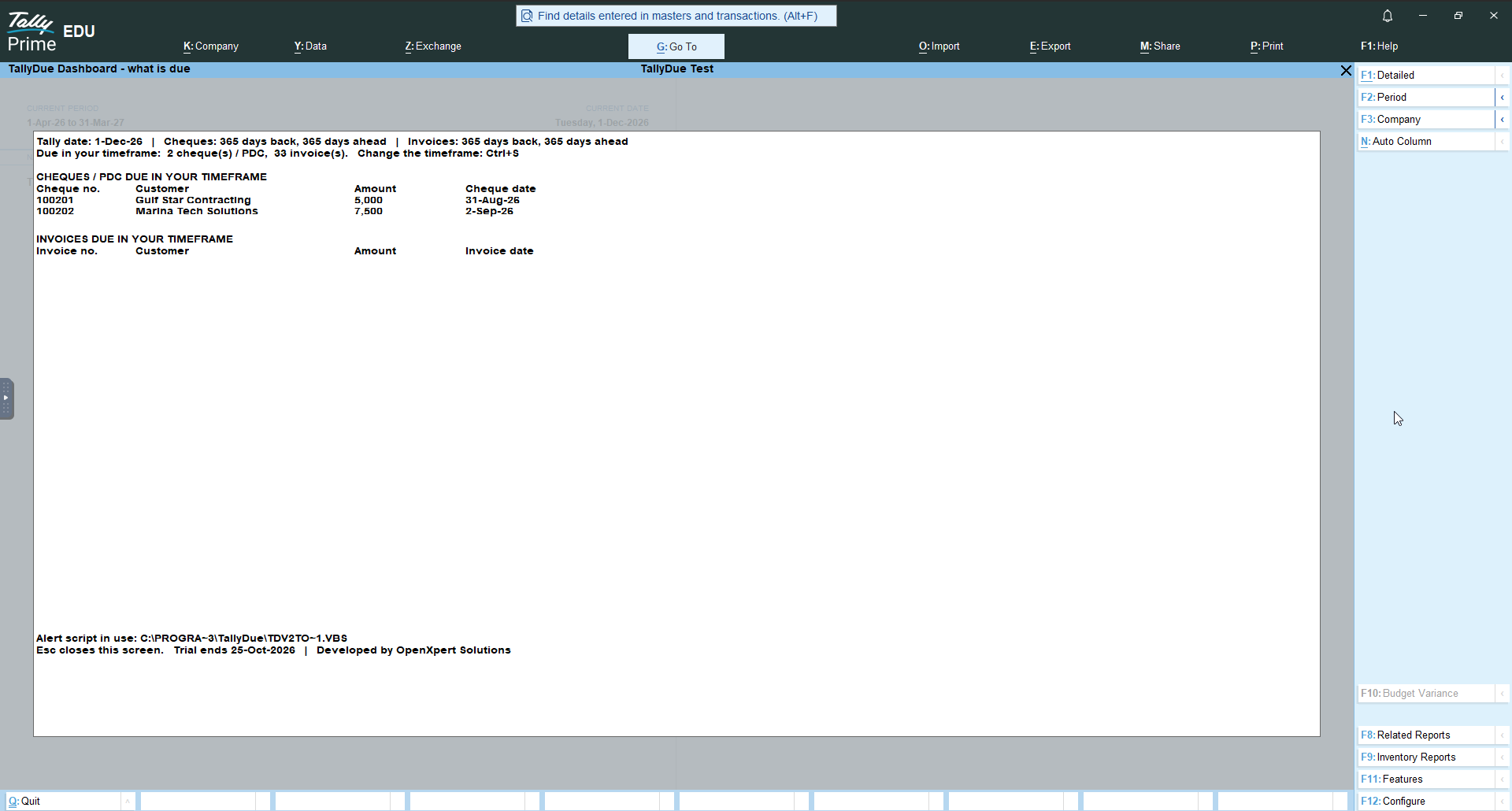
The date is already in the books.
TallyPrime holds the source record. TallyDues brings upcoming dates into view when someone needs to act.
Review due invoices and maturing cheques in the TallyDues dashboard, then let Windows reminders keep the next date visible through the workday.
Explore the product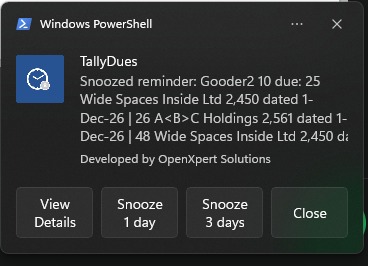
A desktop workflow
Move from recorded to remembered.
TallyDues reads relevant invoice and PDC dates from TallyPrime, presents a focused dashboard, and surfaces reminders on the same Windows computer.
Follow the workflowExplore TallyDues
One desk.
A clearer next step.
Install TallyDues and get your license key.
Get TallyDuesNeed more information?
Ask about setup, compatibility, the free trial, or licensing.